Try Hack Me - Investigating Windows
A windows machine has been hacked, its your job to go investigate this windows machine and find clues to what the hacker might have done.

Howdy my fellow Cyber Enthusiasts! Welcome to another room Try Hack Me offers! So let's dive in! 😄
Click on the "Start Machine" and a couple of minutes later a target machine will pop up, combined with a Windows Virtual Machine on the right-side of your screen.
Inside the Windows Machine, open up the Powershell and type the following command to find out the information that we are looking for regarding the Operating System.
Get-ComputerInfo -Property "Os*"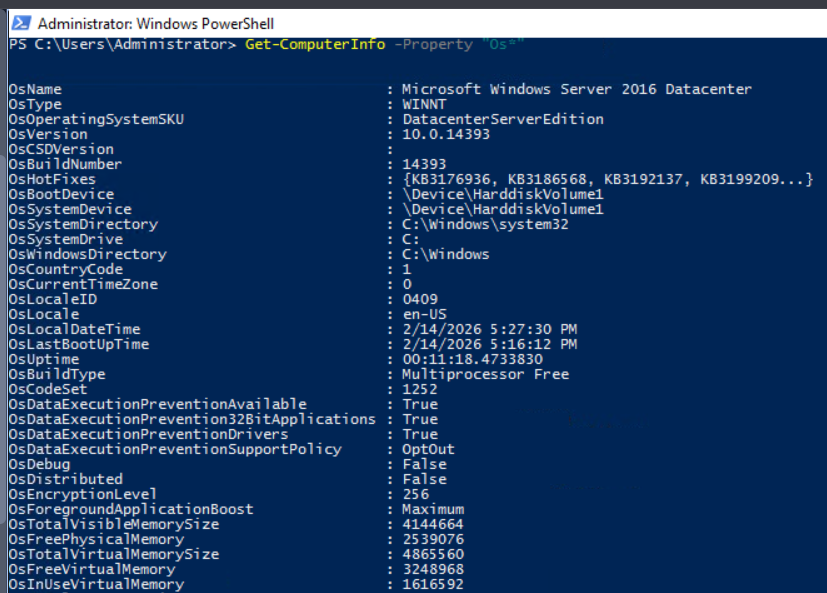
In the Powershell type the following command and see the available users in the system.
net user
You can append the user to see some information about them.
net user Administrator
net user Jenny
net user John
Simply compare the login dates and answer the question.
Answer format: MM/DD/YYYY H:MM:SS AM/PM
Simple! Just use the above command for John to find the answer. Easy, right?
On startup it runs C:\TMP\p.exe and connects to the following IP Address.
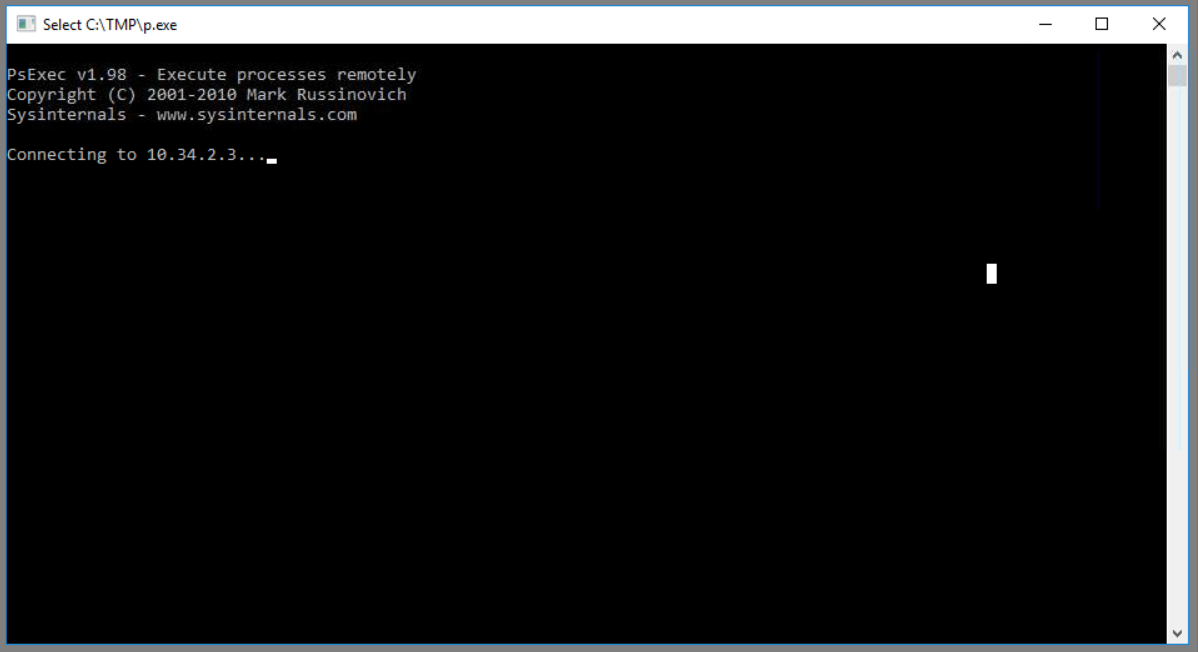
Answer format: List them in alphabetical order.
To see all accounts that have administrative privileges run the following command.
(Get-LocalGroupMember “Administrators”).NameOpen up Task Scheduler and inspect the running tasks.
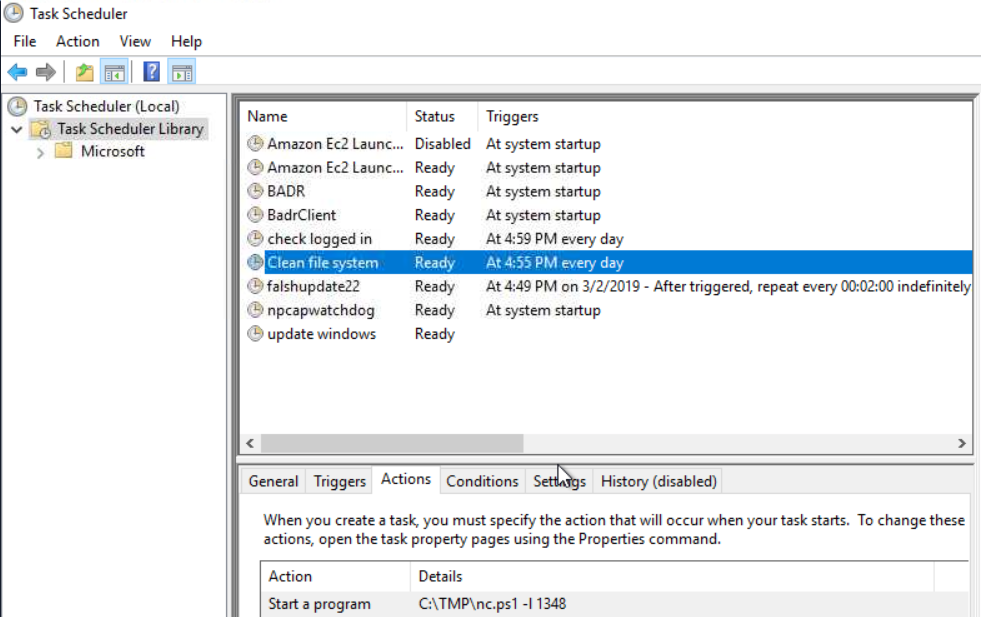
This is interesting. It seems like a netcat listener on a specific port. That seems malicious.
This is easy. The name of the powershell script.
This is the port that the nc.ps1 is listening.
We've touched this before. Run the below command to find information about her.
net user JennyAnswer format: MM/DD/YYYY
Inside the Task Scheduler we can see when the tasks were being created. Let's try that! 😮
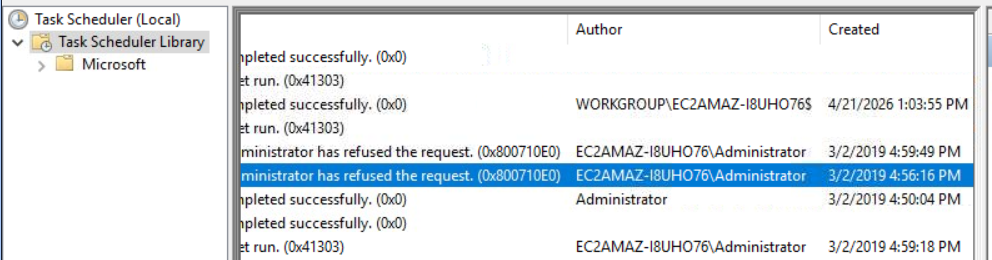
Answer format: MM/DD/YYYY HH:MM:SS AM/PM
Open up Event Viewer -> Windows Logs -> Security
We now know the date of the compromise, so adjust the date and time accordingly.
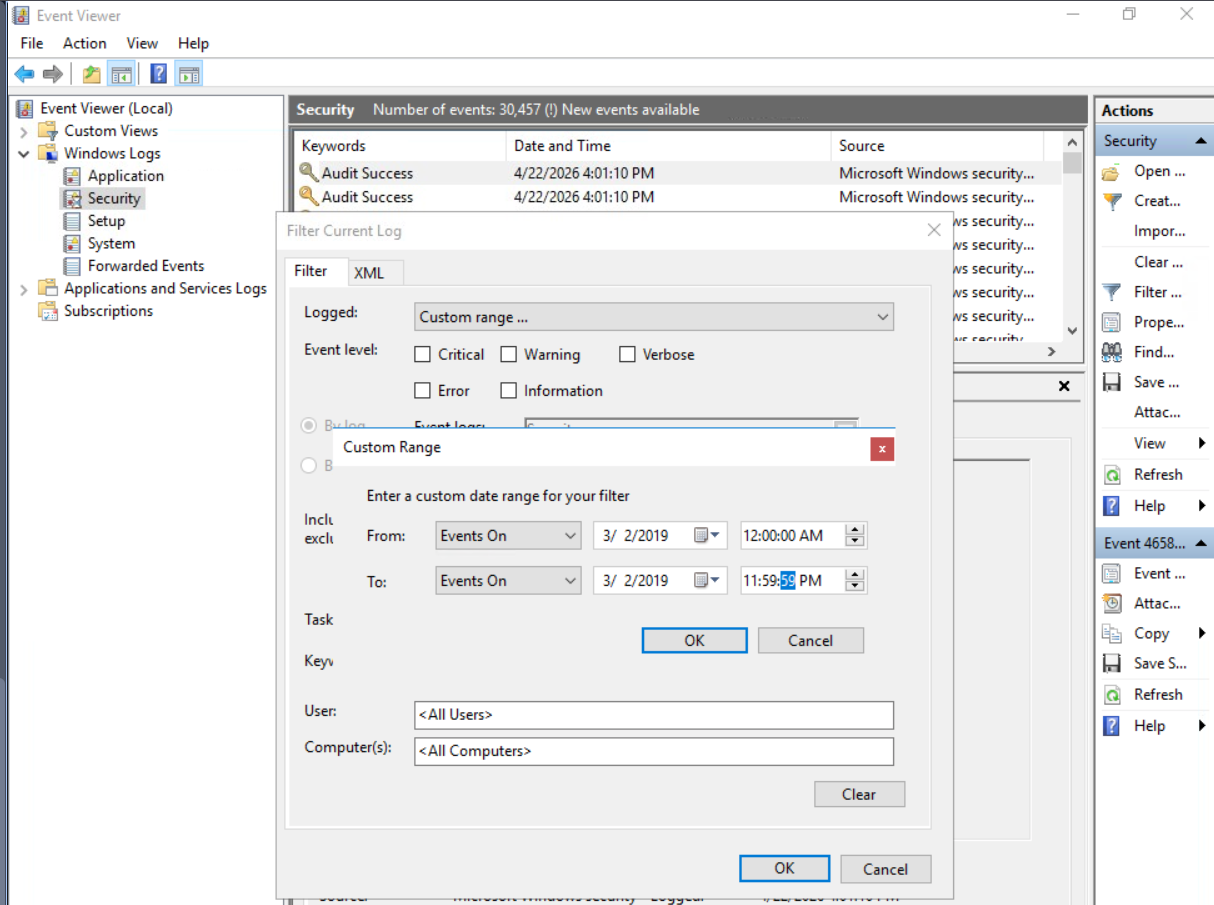
After a bit of searching we need the Event ID 4672.
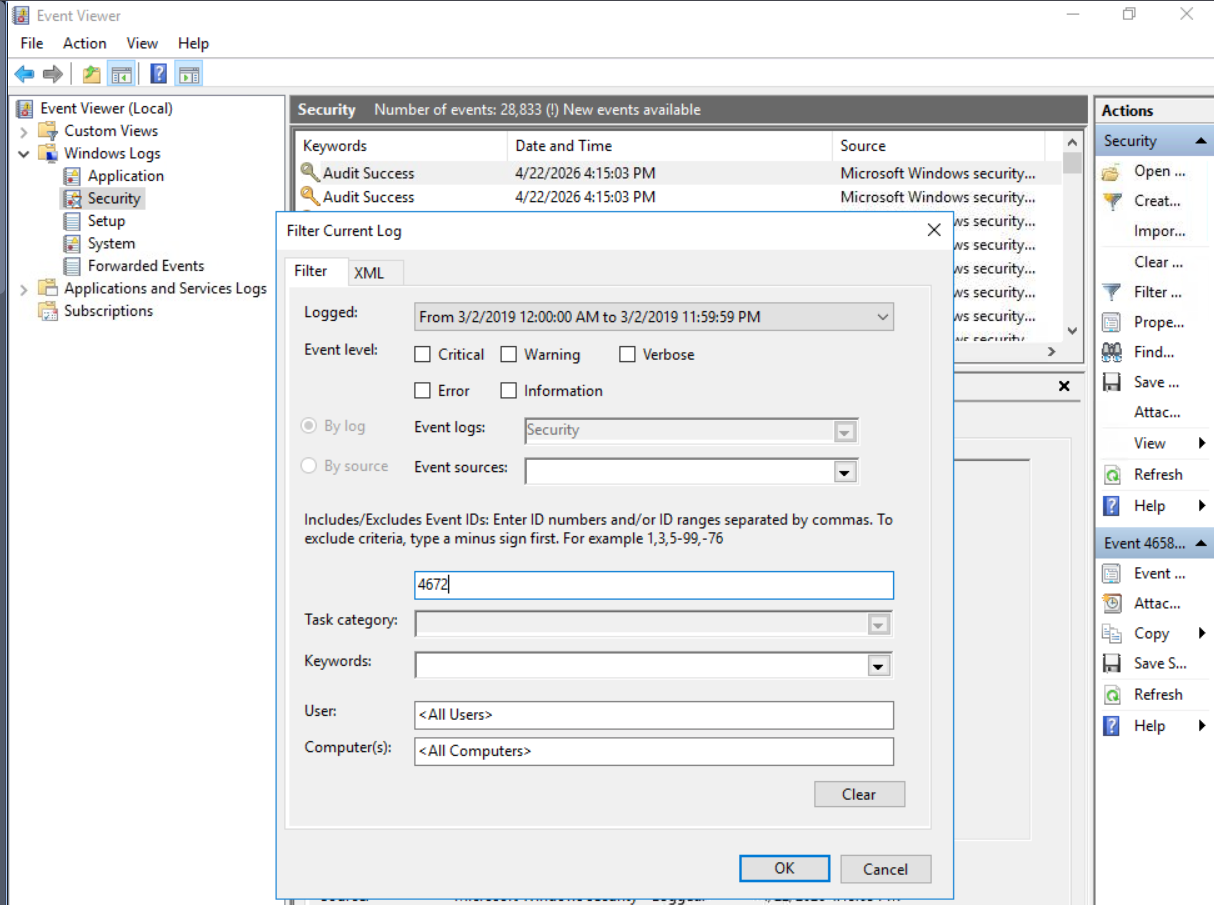
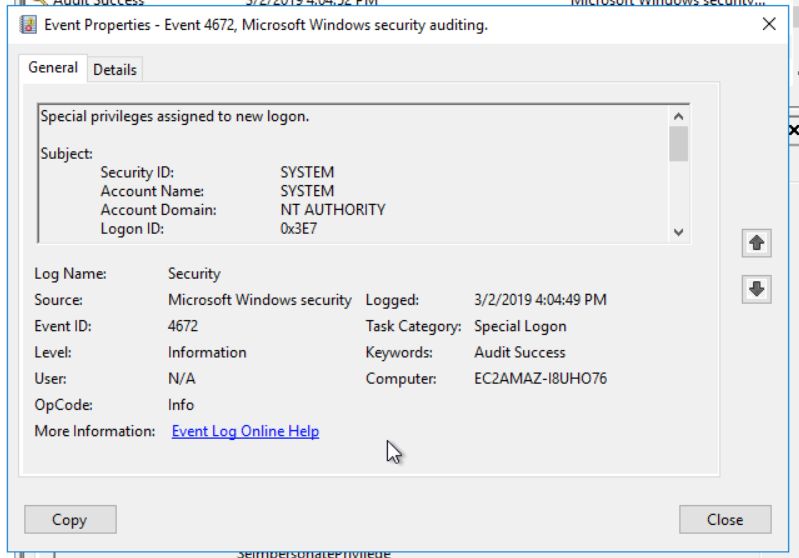
Remember the C:\TMP folder? A bit of searching revealed the Mimikatz tool.
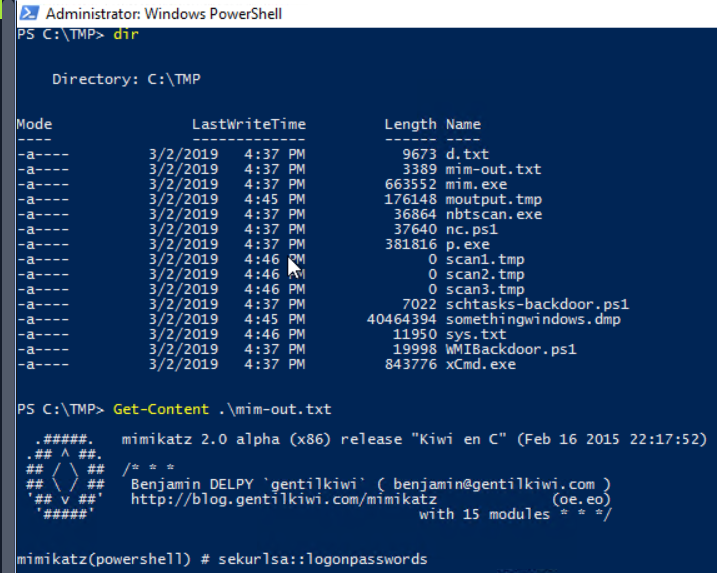
Well, we need to check our hosts file to answer that one.
The file C:\Windows\System32\drivers\etc\hosts is a system configuration file in Windows that maps hostnames (domain names) to IP addresses locally, allowing the computer to override DNS lookups. It is commonly used for blocking websites, redirecting domains, or testing network configurations.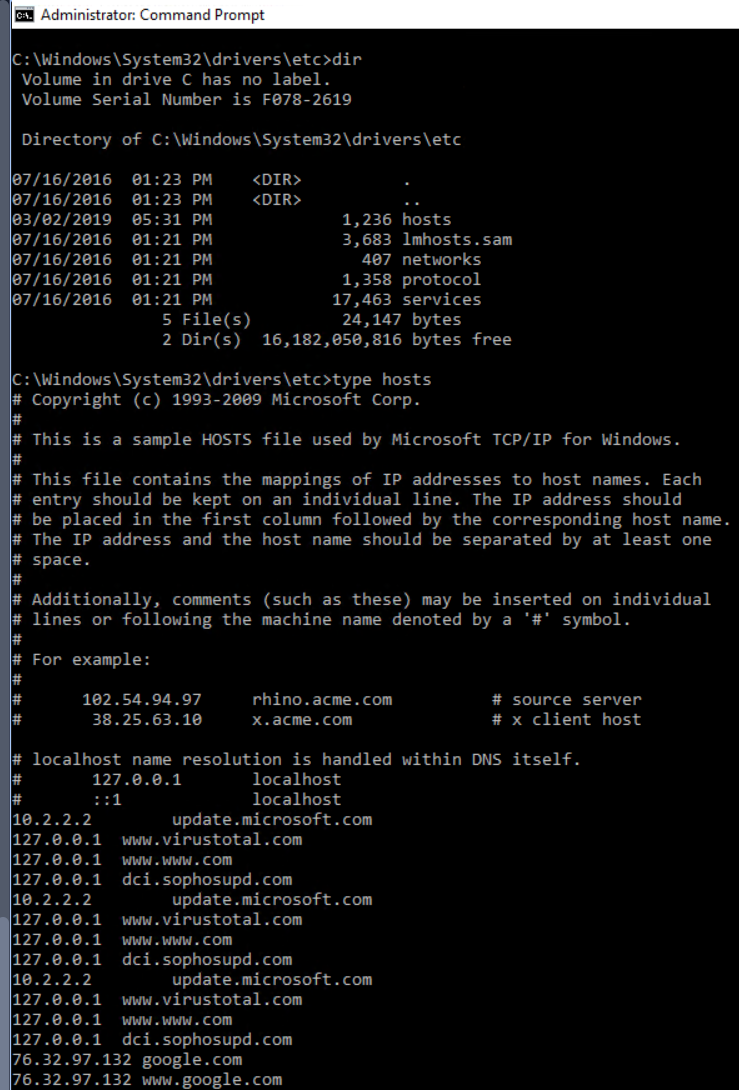
A common path that a Windows machine hosts a server is the following.
C:\inetpub\wwwroot\ is the default root directory for websites hosted on Microsoft IIS (Internet Information Services). It contains the web files (HTML, scripts, assets) that are served to users when they access the local or hosted website.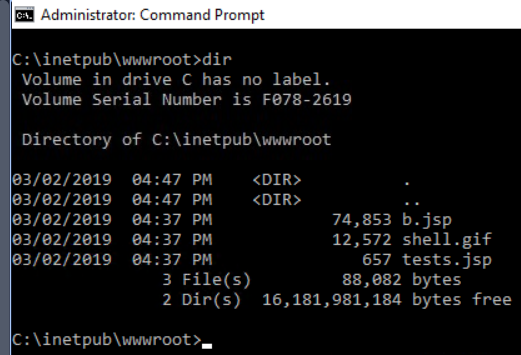
Open up Windows Firewall -> InBound Rules -> "Allow outside connections for development"
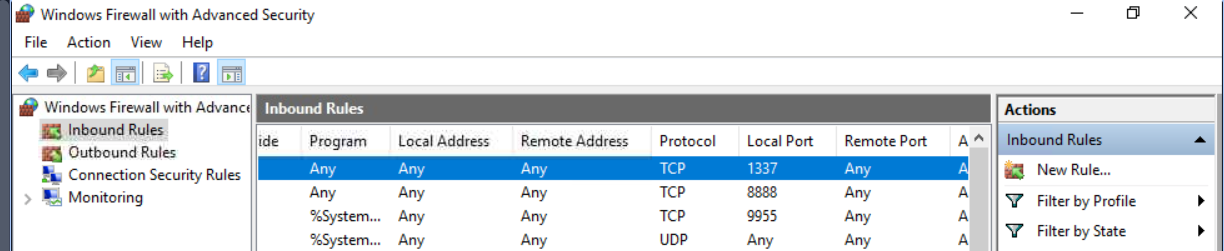
Check again the C:\Windows\System32\drivers\etc\hosts file. The answer lies in here. 😄
Congratulations! You have solved this room! 🎉 🎉 🎉